
You can accept a team invitation with the following steps:
1. Click on the “Teams” icon (2nd icon, top left), as shown below:
You should notice a notification sign on the teams icon. A team or list of teams which you have been invited to will appear. 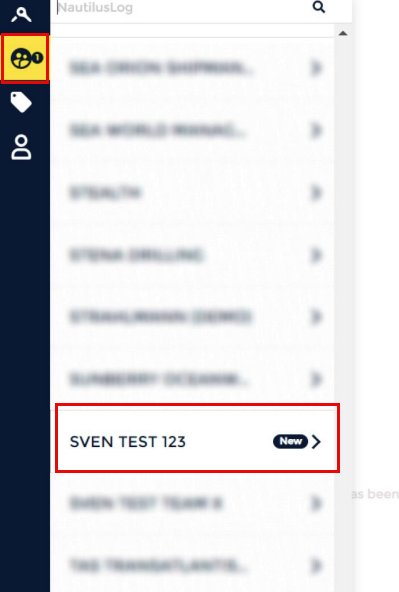
2. Select the correct team to enter into the team page, and click the “TEAM” tab (2nd
tab) above the page to view the invite. 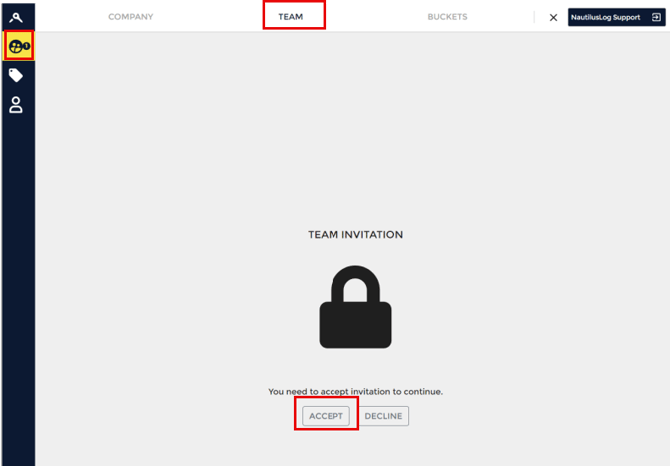
3. Click “ACCEPT” to accept the team invitation.
4. Congratulations! You’re now part of the team!!
Regarding the user roles when inviting new team members, here's what each user
role entails: 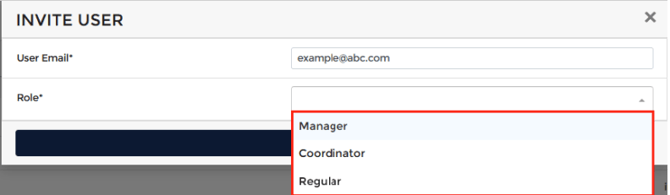
Manager: Can access and modify profiles on vessels and oversee all aspects of the
team's operations.
Coordinator: Can add and remove team members and manage user account
distribution.
Regular: Handle day-to-day tasks without administrative capabilities as coordinators or managers.