-
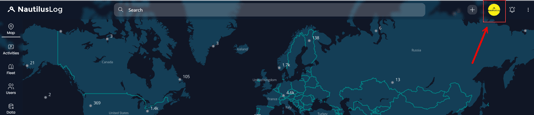
Once logged in, Navigate to the user profile icon and click on it as shown.
-
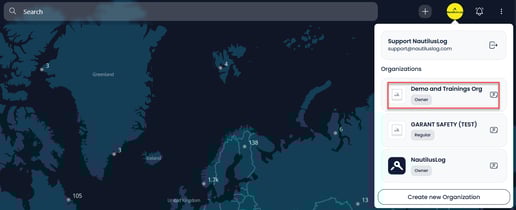
This shall open up a small window listing the organizations which your user account is a part of. Select and click your desired organization.
-
-
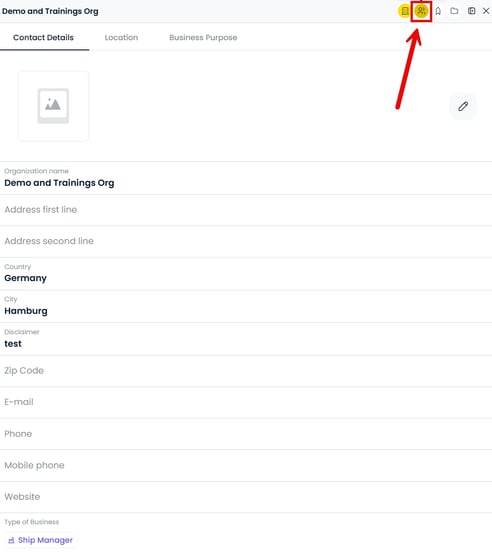
The system will open the Organization profile. Among the various Icons present on the TOP RIGHT corner, click on the 'memberships' icon as shown in the screenshot.
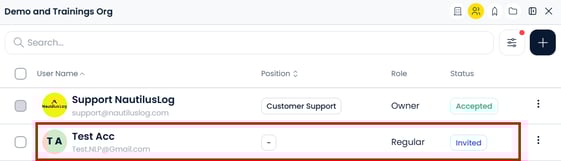
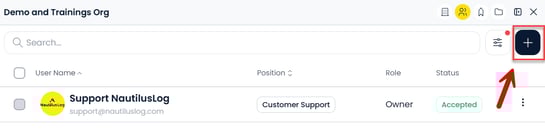
- After clicking the icon, the system displays a list of users associated with the selected organization with their details such as User name, position, role and status.
- To begin adding new users, click on the button
 as shown,
-
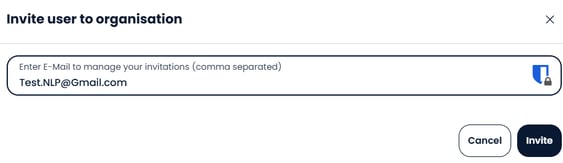
Enter the required email and click on
 button.
- After a successful addition and invite, the user will appear in the list under memberships as shown with the status as
 until the user accepts the invitation.