
🖥️ Delete Photos in the Web App
- Open the activity that contains the photo you want to delete.
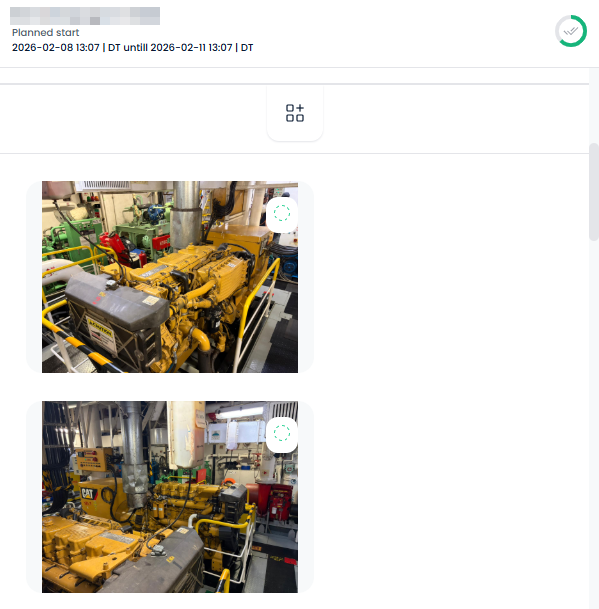
- Click the photo to open it in the image preview.
- In the bottom‑right corner of the preview window, locate the delete icon.
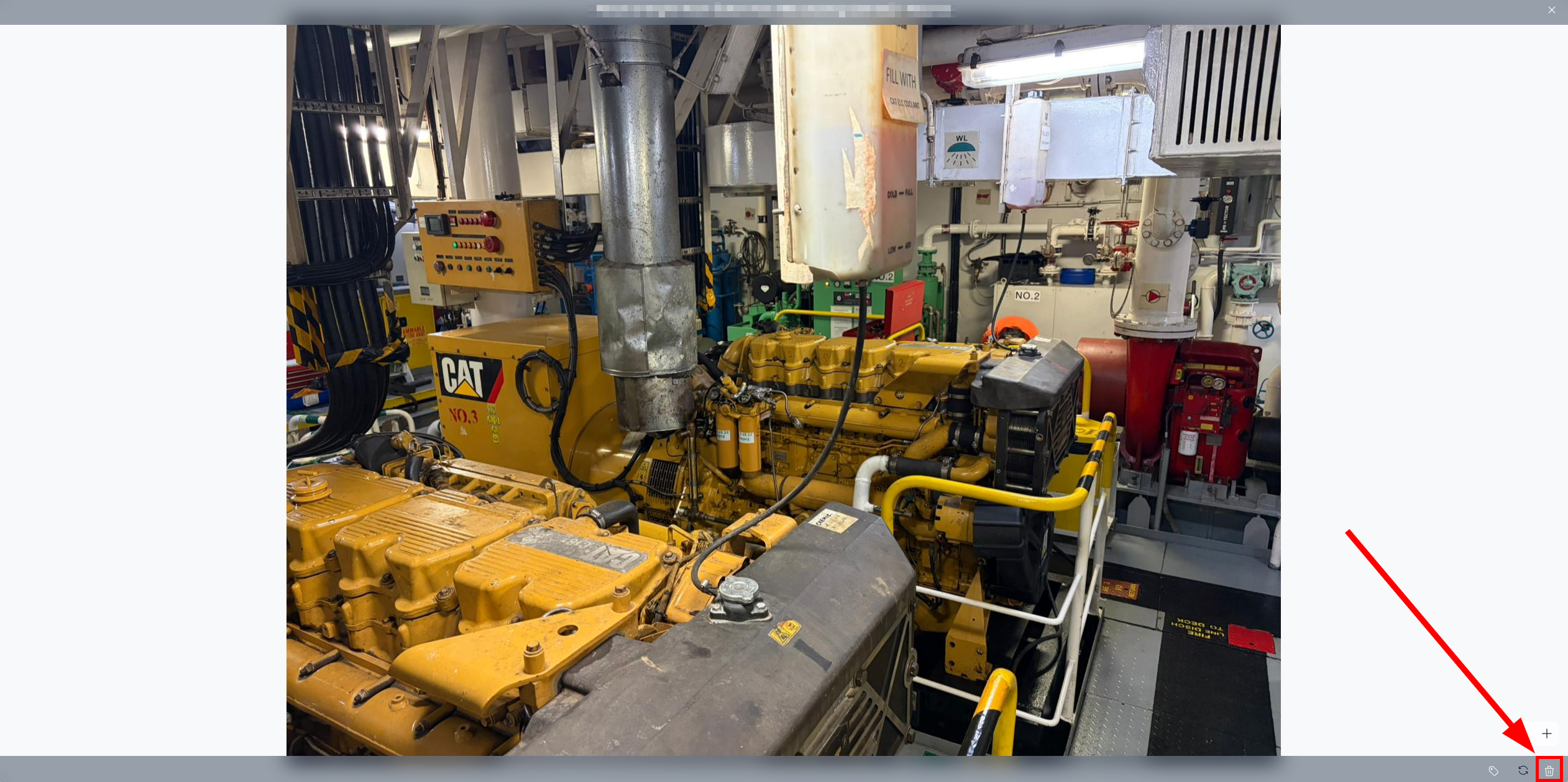
- Click the delete icon to remove the photo from the activity.
📱 Delete Photos in the Mobile App
- Open the activity that contains the photo you want to delete.
- Tap the photo to load it in preview mode, where the photo details are displayed.
- In the preview screen, find and tap the Delete option.
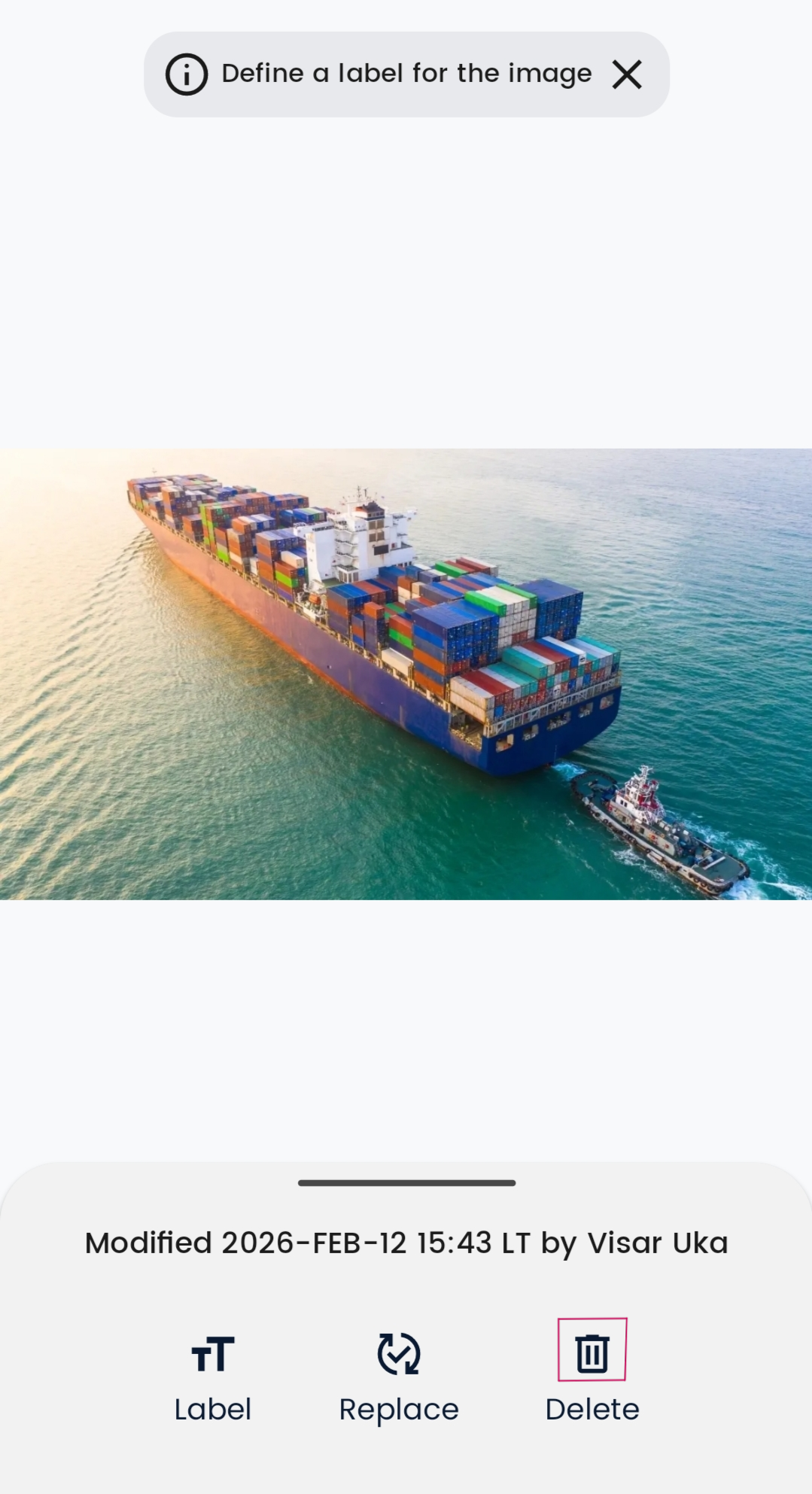
- The photo will be deleted.