
Steps:
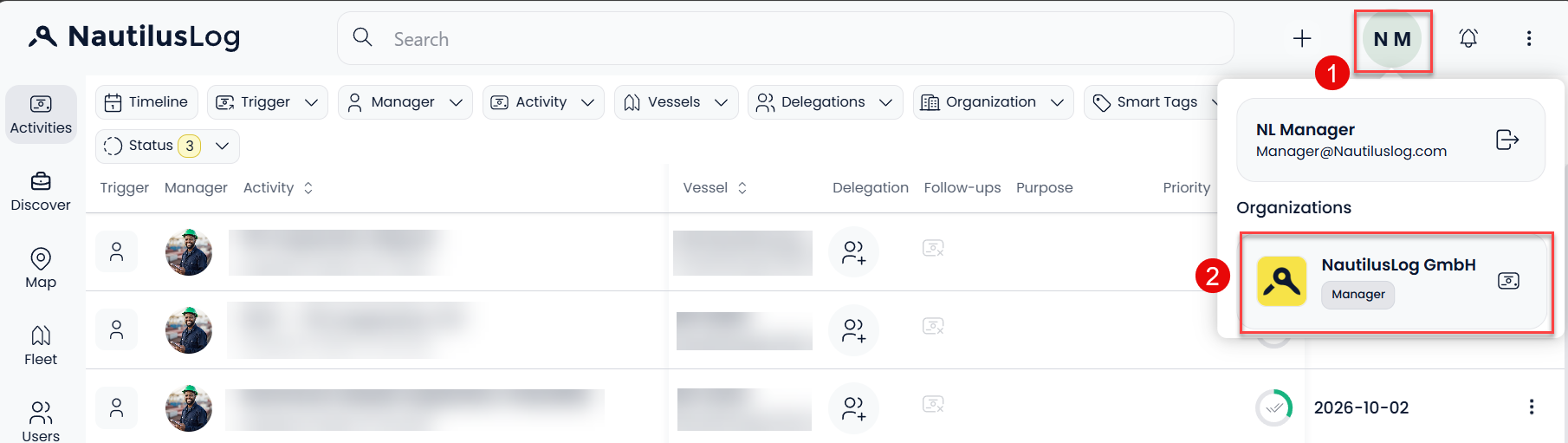
- Click your profile icon (your initials) in the top-right corner. Under Organizations, select your organization. Your role is shown below the organization name, and it should say Manager.
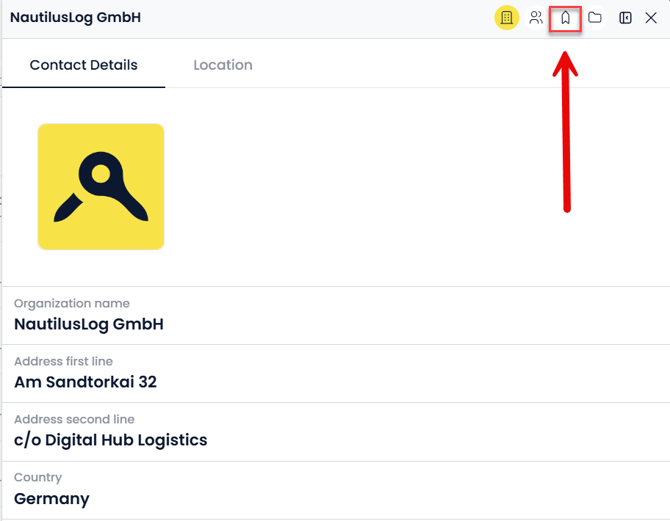
- The organization panel opens on the Contact Details tab. Click the vessel icon in the top bar of the panel to open the list of the organization’s vessels.
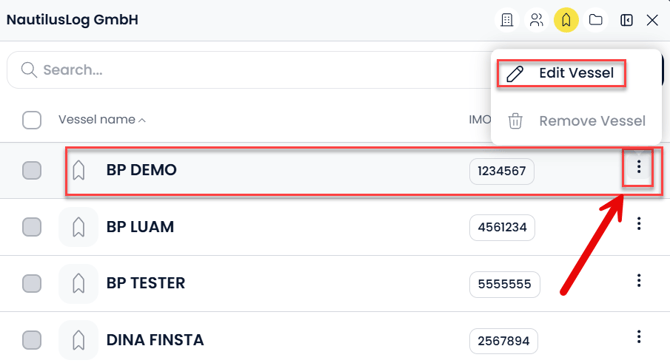
- Find the vessel in the list. Click the three dots at the end of its row, then select Edit Vessel.
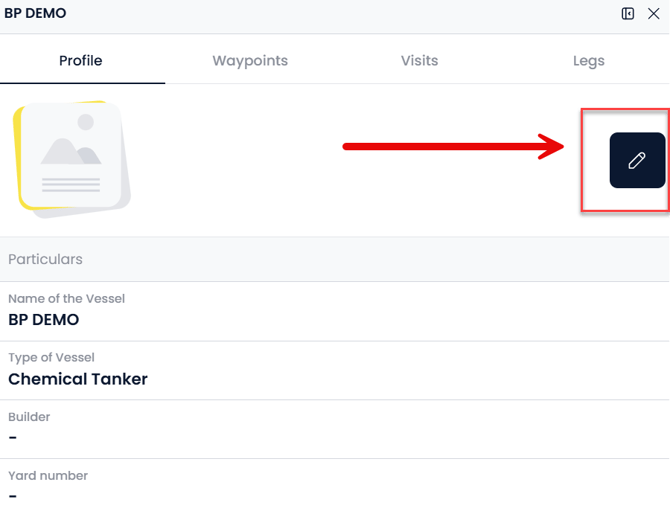
- The vessel’s Profile opens. Click the pencil (edit) icon at the top right.
- In the Particulars section, replace the text in the Name of the Vessel field with the new name.
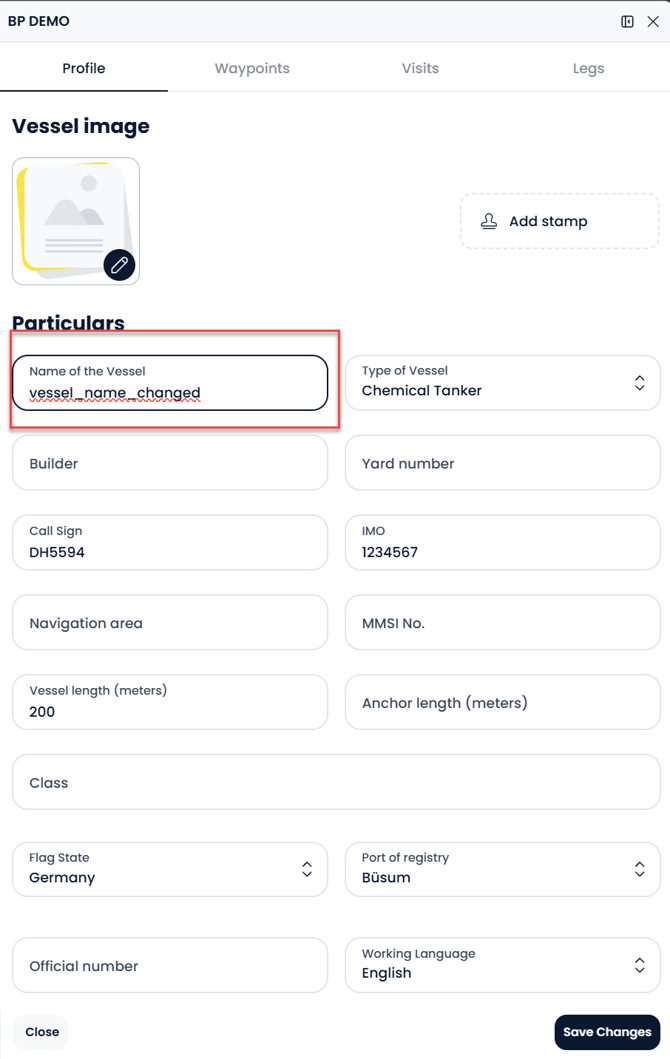
- Click Save Changes at the bottom right.
- The vessel profile now shows the new name in the header and in the Name of the Vessel field.
Note:
You can’t see the edit option or the vessel list: Your account probably has the regular Access role in this organization. Ask a Manager in your organization to change the name, or to update your role.