
NautilusLog provides different levels of system access depending on user roles.
This directly affects what information is visible.
Vessel Crew Access:
- Access limited to the relevant vessel, operational-level visibility.
- Cannot view document requests (SDoC and MD).
- Sees only finalized or currently available item statuses.
-
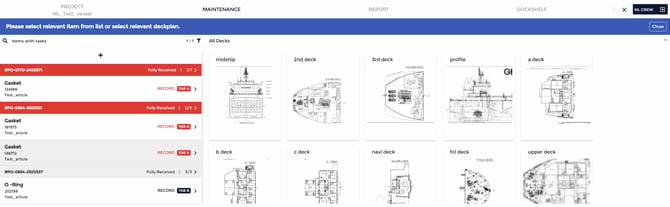
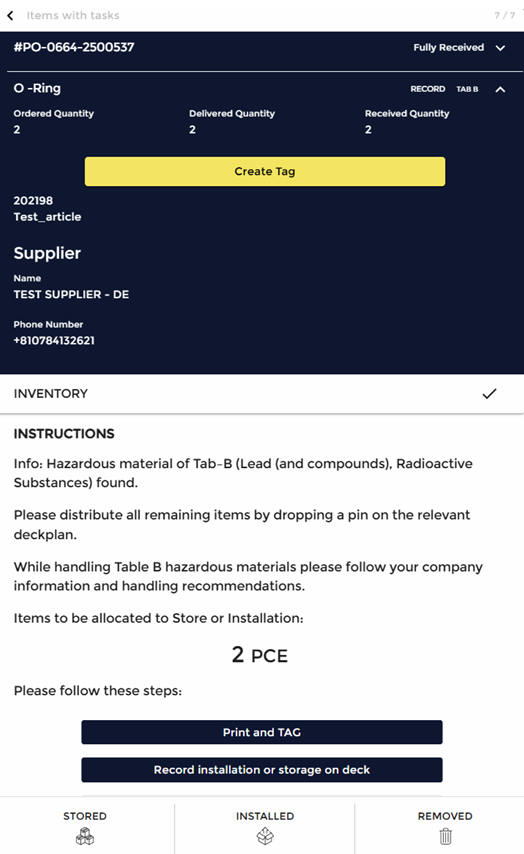
The structure and sections of a PO and its associated items, as shown below, is
visible to users with crew access to their accounts.
-
IHM Expert Access:
IHM Expert access accounts have access to additional tabs (as seen in the
screenshot below), along with greater visibility and control compared to crew
access user accounts.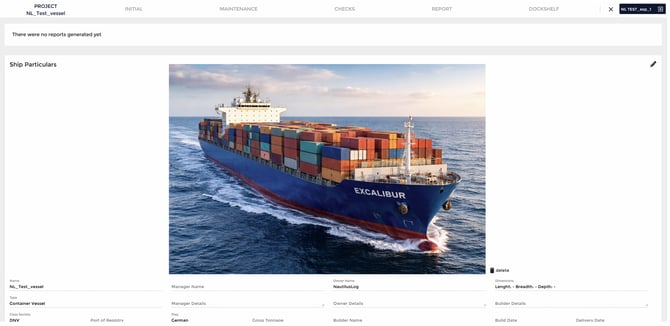
-
In the Maintenance Tab:
-
Expert access users can view and manage.
-
Perfom a Batch and singular categorization of PO items.
-
Have a more detailed filter view option list.
-
Issue supplier document requests. (SDoC and MD)
-
Specify Hazmat for PO items.
-
Ability to complete a review for PO item.
-
Access to the complete IHM workflow
(Note: Differences in visibility between these roles are the primary reason for
perceived discrepancies in item status.)
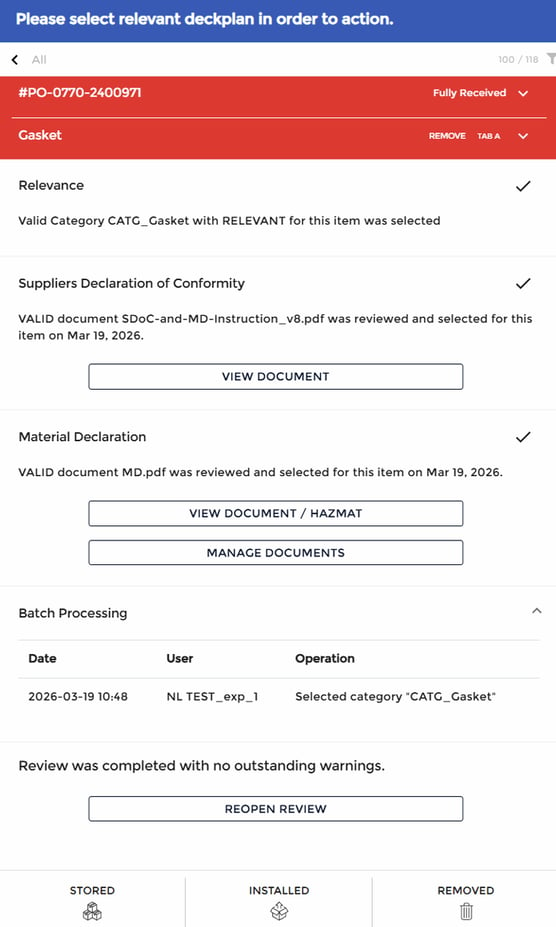
- The structure and sections of a Purchase Order and its associated items, as shown below, is visible to users with Expert access to their accounts.
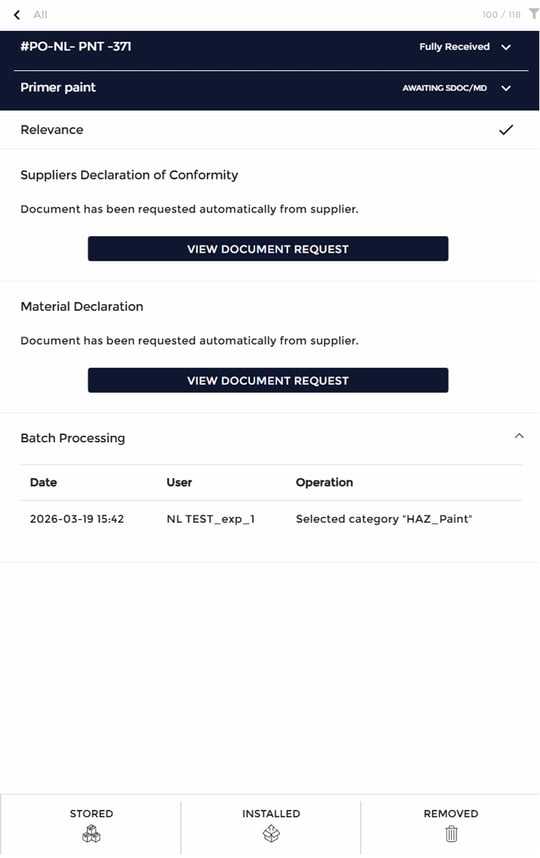
- For items categorized as relevant, the system displays the Hazmat status along
with SDoC/MD documentation and indicates that the review has been
completed.
-
For items awaiting supplier documents.
-
Processing Workflow of Items for IHM Maintenance:
The IHM classification process follows a structured workflow:
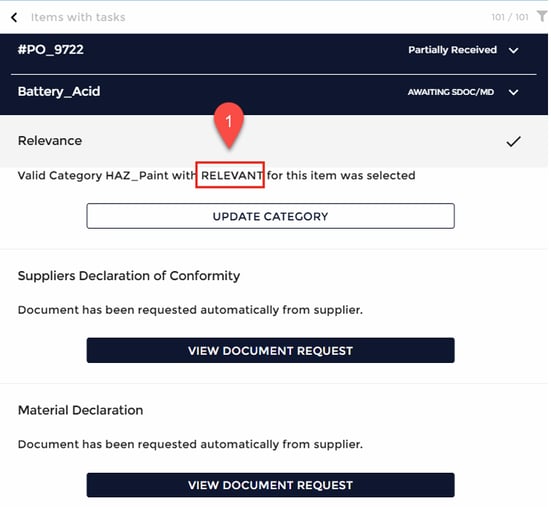
A Purchase Order item is identified as IHM-relevant by the IHM Expert.
-
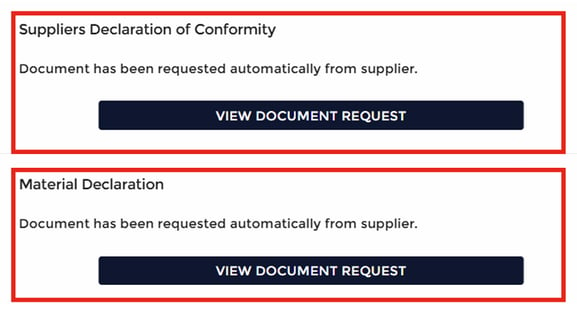
The system automatically sends SDoC (Supplier Declaration of Conformity) and MD (Material Declaration) requests to the supplier for the item.
-
This supplier document request section is visible only to users with IHM Expert access.
-
The system waits for the supplier to provide the required documentation.
-
The IHM Expert reviews the submitted Material Declaration for Hazmats.
-
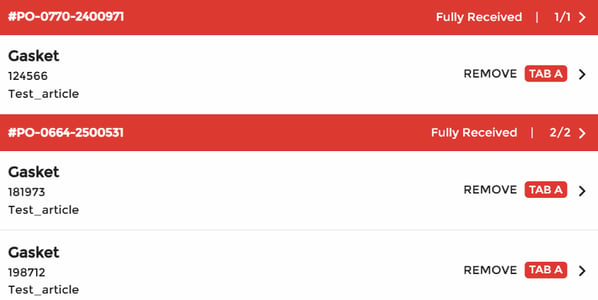
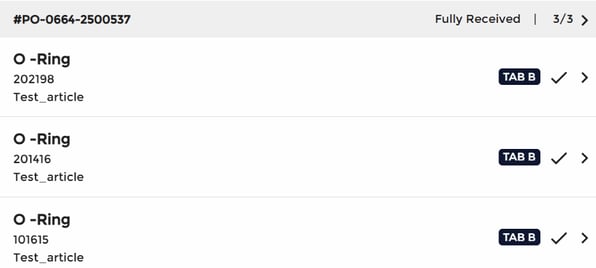
Based on the review being completed, the item is categorized as follows. (e.g.,
-
Table A or Table B)
-
(e.g., Table A)
-
(e.g., Table B)
-
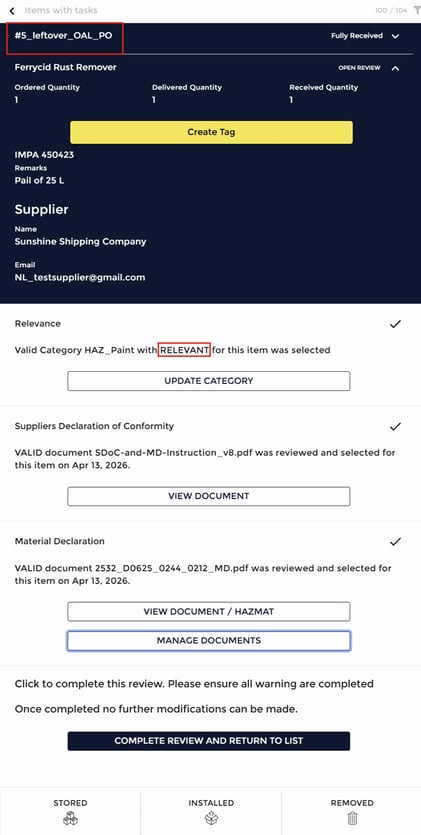
PO items that are still pending a completed review or require Hazmat
specification in the MD are categorized as relevant by the IHM Expert. The item
view for an expert user account is displayed as follows:
-
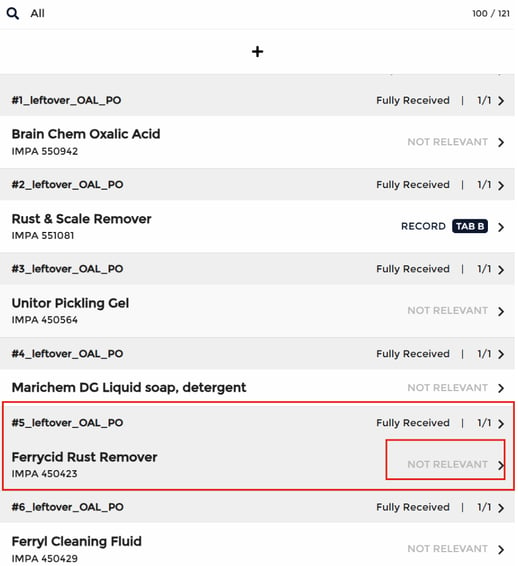
The same PO item will appear as follows in the Maintenance tab for users with
crew access.
-
As mentioned above, once the IHM Expert completes the review, the PO item is
categorized as either Tab A or Tab B. This classification is also reflected for
users with crew access.
-
This ensures that both expert and crew users have a consistent and transparent view of the item’s classification and status.
-
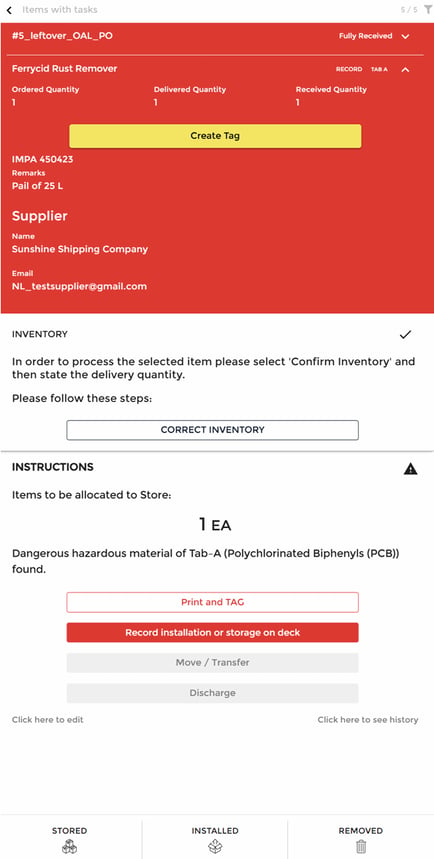
The following view shows how the PO item appears in Maintenance tab to users
with crew access once the review is completed:
-
Based on the assigned classification, the crew user is required to carry out the
corresponding task, thereby completing the process.
Conclusion:
In summary, this guide includes the workflow which explains and ensures that
IHM-relevant items are first managed and categorized by the IHM Expert,
including document requests to suppliers. Until the required documentation is
received and reviewed, items may temporarily appear as “Not Relevant” for
crew users. Once the review for the item is complete, the correct classification
and status are updated, ensuring consistency and clarity across all user roles