
-
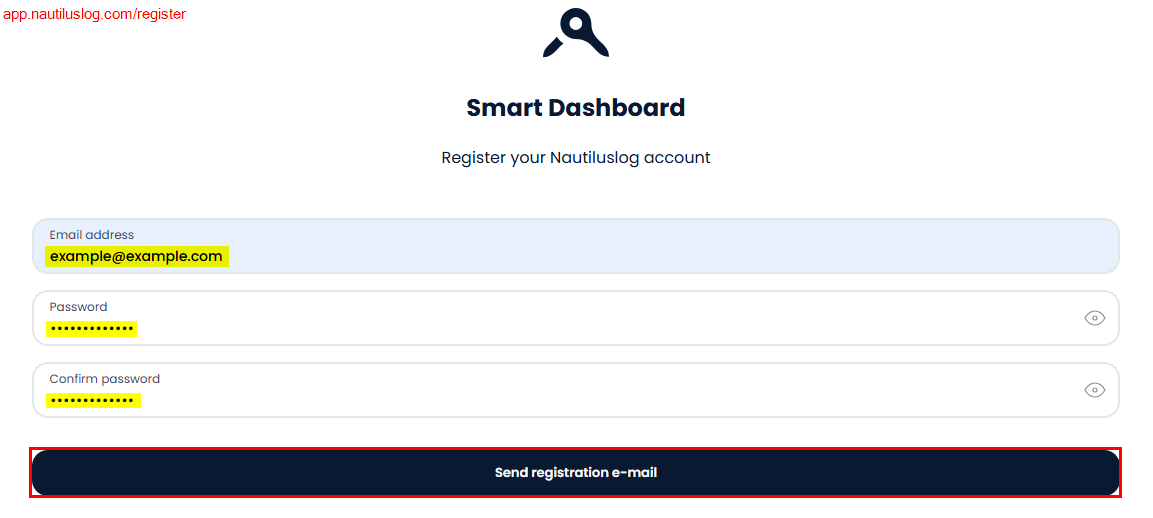
Enter your email address
-
Enter your desired password
-
Confirm password
-
Click on Send registration email
-
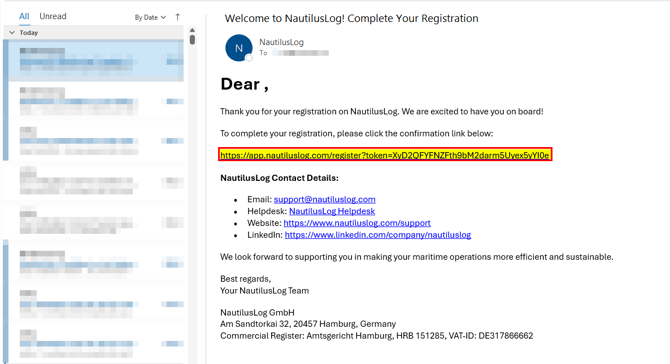
Open the inbox of your email
-
Open the confirmation email sent by NautilusLog
-
Click the confirmation link in the email
4. Login to your newly registered account with your email and password
If you need further support, contact: support@nautiluslog.com